Get Premium at the price of Basic and 50% off on all agency plans for a limited time. Claim the offer

The cookie consent solution built natively for Webflow.

Everything happens inside the Webflow Designer. No external dashboards, no code, no workarounds.
Easy to set up

Get compliant in four steps

01. Create a cookie banner

Generate a base design, then customize it like any Webflow component. Use your fonts, your colors, and your interactions.

02. Scan your website

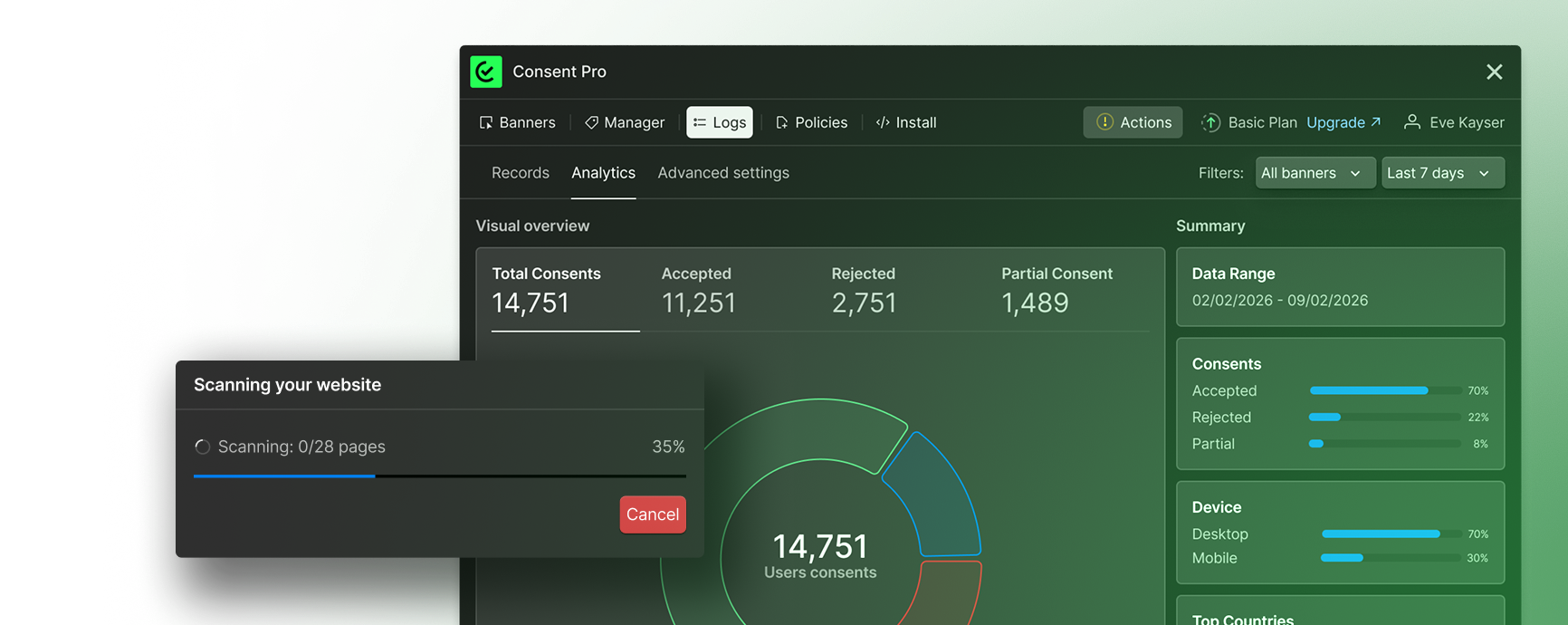
Scan to detect all the trackers that load on your website and may collect data from your users.

03. Categorize trackers with AI

Categorize the trackers and add more information about them using AI.

04. Install and publish. Done.

Install the Consent Pro script in your project, publish it, and your website will be data privacy compliant.
WHAT'S NEW IN V2

Everything you need for cookie consent

new

Auto Block Scripts

No more tagging scripts by hand. Consent Pro V2 automatically detects every script on your site and blocks it until the visitor gives consent. Setup that used to take an hour now takes zero.

Geolocation Banners

Different rules for different regions. Show GDPR-compliant banners to European visitors, CCPA notices in California, and skip the banner entirely where it's not required. One setup, global compliance.
new

Tracker Documentation, Done Automatically
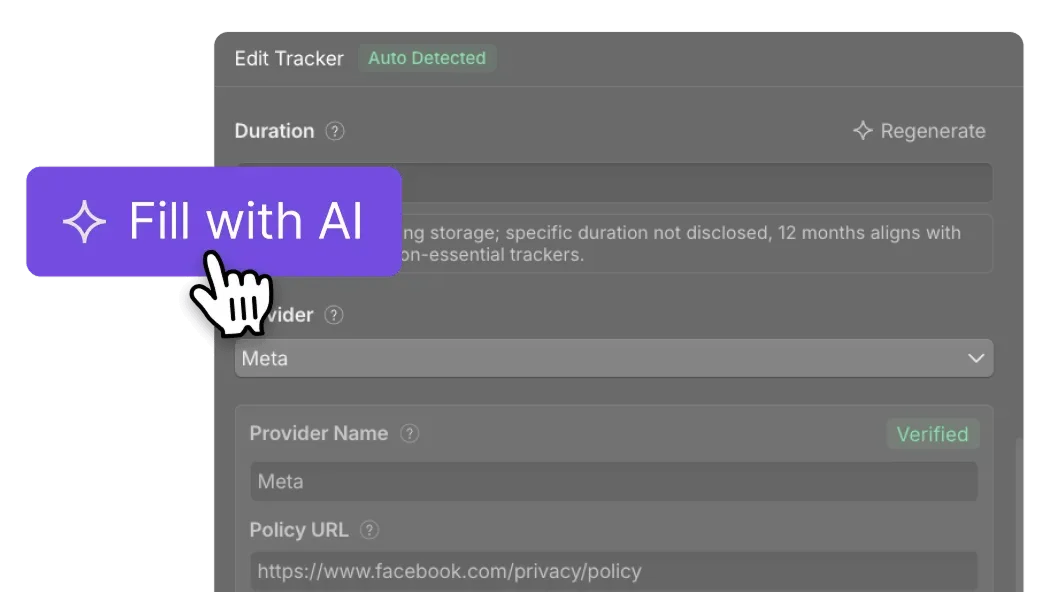
Provider names, descriptions, data collected, privacy page URLs - the AI fills in tracker documentation for you. What used to require manual research now happens in seconds. Required for GDPR, handled automatically.
new

Consent Logs & Analytics

A built-in dashboard that shows accept rates, deny rates, and consent trends over time. Know exactly how visitors interact with your consent banners — no separate analytics tool needed.
new

Auto GTM
Detection

Scripts loaded through Google Tag Manager are automatically detected and managed. No manual GTM configuration, no missed scripts hiding behind tag containers.
new

Automatic
Consent Storage

Consent records stored automatically - no Cloudflare Workers setup, no manual configuration. If a regulator asks for proof of consent, you have it.
new
Coming soon

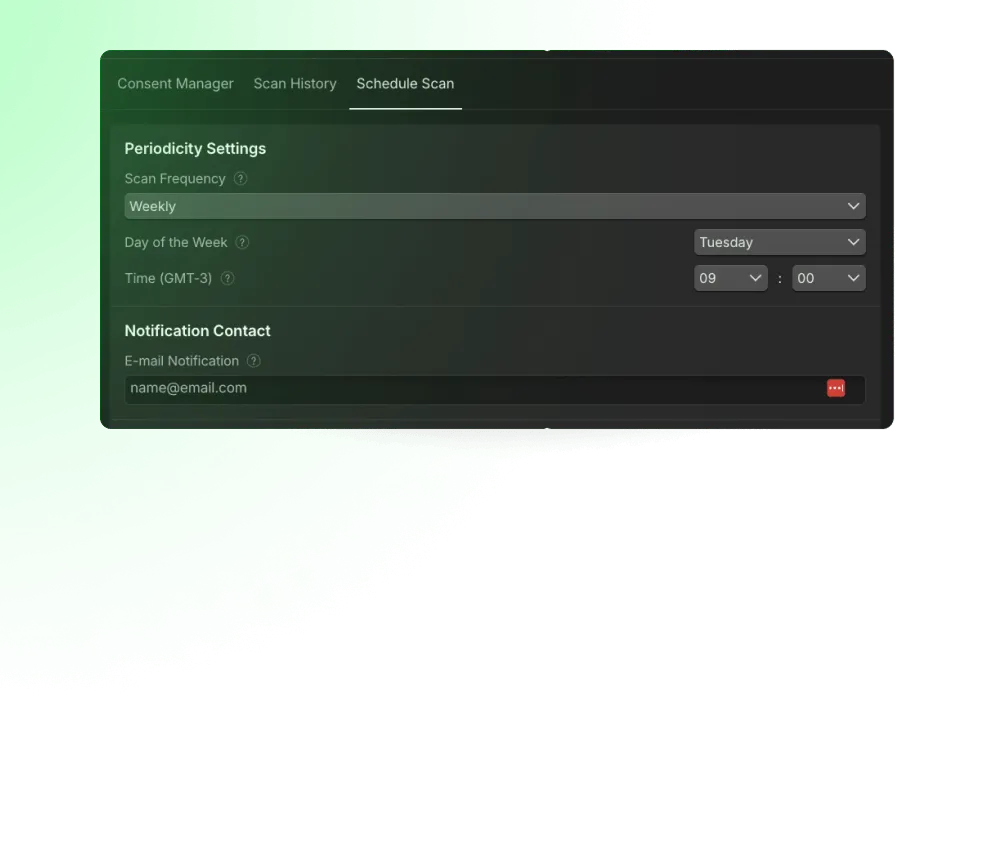
Scheduled Website Scan

Automatic monitoring that alerts you when new scripts appear on your site. Stay compliant without checking manually.
Coming soon

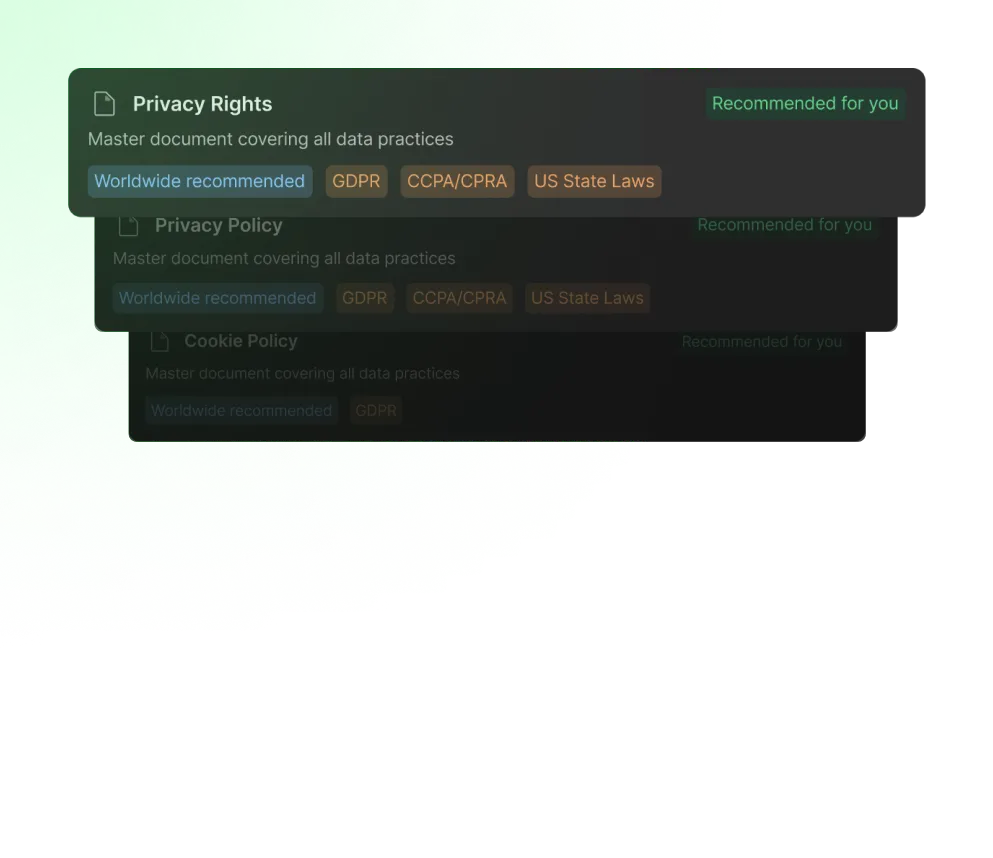
Privacy Page Generator

Auto-generate privacy policy pages that match your consent configuration.
Get the Webflow app
CONSENT PRO VS. THE REST

See how Consent Pro compares

Consent ProAdoptCookieScriptAxeptioCookieYesUsercentricsDidomiOnestrust
Custom layout
AI
Accessibility
Tracker Granular Control
Trackers Information
Schedule Scan
Store Consents
Export Consents
Consent Analytics
Exclude pages with banner
Geolocation
Geolocation
Simple banner
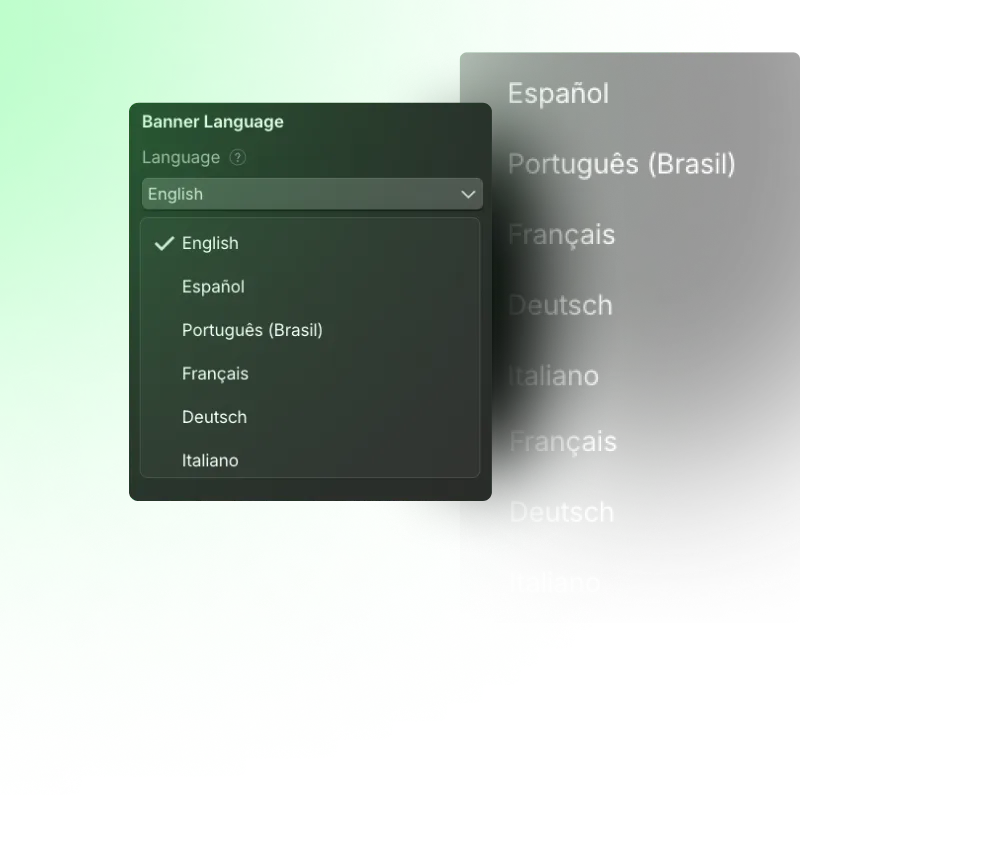
Translate with Webflow Localization
Detect Google Maps
Detect Google Fonts
Auto Categorization
Policy Page Generator
Google Consent Mode
IAB TCF
Translated Banner
Placeholder Controls
Other CMPs work on any website. Consent Pro is built exclusively for Webflow, which means tighter integration, better performance, and a setup experience that feels native to how you already build.
ALREADY USING A CONSENT TOOL?

Migrating to Consent Pro is easier than maintaining what you have

If your current CMP lives outside Webflow, you're managing two systems for one job. Consent Pro replaces external dashboards, manual script tagging, and Cloudflare configurations with a single native setup. Install it alongside your current solution, test on staging, and switch when you're ready.

Questions?

Let our experts walk you through!
Talk to Expert
FREE SCAN TOOL

Not sure if your site is compliant? Find out in minutes for free.
Run a quick scan to see if your site has consent gaps - scripts firing before consent, missing cookie categories, or no consent storage. No signup needed.
Scan for free
ALREADY USING A CONSENT TOOL?

The agencies building the best Webflow sites trust Consent Pro

DON'T JUST TAKE OUR WORD FOR IT

Here's what people are saying

Best design and fastest production I’ve experienced from a web agency. And it’s effective. Average time on site has doubled (up 102%) since our new site launched. We needed a site that could nurture inbound B2B buyers, and we needed it quickly. That’s exactly what we got.

Best design and fastest production I’ve experienced from a web agency. And it’s effective. Average time on site has doubled (up 102%) since our new site launched. We needed a site that could nurture inbound B2B buyers, and we needed it quickly. That’s exactly what we got.

Best design and fastest production I’ve experienced from a web agency. And it’s effective. Average time on site has doubled (up 102%) since our new site launched. We needed a site that could nurture inbound B2B buyers, and we needed it quickly. That’s exactly what we got.

Best design and fastest production I’ve experienced from a web agency. And it’s effective. Average time on site has doubled (up 102%) since our new site launched. We needed a site that could nurture inbound B2B buyers, and we needed it quickly. That’s exactly what we got.

Best design and fastest production I’ve experienced from a web agency. And it’s effective. Average time on site has doubled (up 102%) since our new site launched. We needed a site that could nurture inbound B2B buyers, and we needed it quickly. That’s exactly what we got.

LAUNCH OFFER

Launch pricing available until March 13

Premium Lifetime

$249
$199
Auto-blocking, geolocation, consent analytics, and everything in Consent Pro.

Agency Plans

50%
Off
Bulk lifetime licenses with rollover.

Questions?

Let our experts walk you through!
Talk to Expert

Need a custom implementation?

Our team can help you to be compliant.

Implement for us
CONSENT PRO VS OTHERS

Many products choose experience or price, we deliver both.

Let us be honest: if we want you to migrate, we need to help you be more profitable, be more affordable for your clients, or deliver faster. Our goal is to deliver all of this.
Other tools
Detect trackers from the Video native element in Webflow

Webflow hides the video URLs in a cdn.embedly wrapper when using YouTube native video elements. These Webflow specific implementations are often missed by other tools.

Detect trackers from the Google Maps native element in Webflow

Native Google Maps in Webflow sets cookies and injects Google Fonts without user consent. Other tools do not detect this to prevent it.

Detect trackers in videos added to the native lightbox in Webflow

The way Webflow handles videos in the native lightbox makes it hard for consent tools to detect them. That is why most non-specialized tools miss blocking them.

Integrated with Webflow Localization to translate banners

Other tools do not integrate with Webflow Localization to translate the banners. It requires a better understanding of how Webflow works to render the banners dynamically.

Integrated with Webflow Optimize & Analyze

Other tools do not integrate with Webflow Analyze and Optimize to know if they should allow or block them based on tracking configurations in the Webflow Designer.

Reliable scan with the sitemap.xml integrated with the Webflow API

Our solution knows all the pages of your project using the sitemap.xml and the Webflow API, while other tools scan only linked pages. If a marketing page is not linked anywhere, it will not be detected, which is not recommended for data privacy compliance.

Detect Google Fonts and show instructions to make their usage compliant.

Remote Google Fonts requests can send the visitor’s IP address to Google. For GDPR compliance, it is recommended to host fonts locally.

Support from Webflow Experts

Our team is made up of Webflow developers and experts specialized in the platform. You will get support from people who understand the subject

Categorize and fill tracker information using AI

While with other tools you have to make this decision or search the web, in our app you can quickly categorize trackers and fill their information using AI. This is required for data privacy laws that require clear details about the trackers.

Lifetime plans (pay once and forget)

Consent Pro is the only tool that has lifetime plans where you pay once and use it forever. You do not need to worry about subscriptions, new upgrades, or what will happen if you stop serving a client.

Clear instructions in the app to make your website compliant

Other tools give you so much freedom that you do not know what to do. In our app, you see everything you have to do in the Actions tab to make your website compliant (based on the banners you created).

Detect and categorize trackers loaded from Google Tag Manager

Our solution shows all the trackers detected from scripts added in Google Tag Manager to be managed in the app. This process is boring and manual in other tools.

Geolocation feature with banners per region

Show banners per region to track users from regions where privacy laws are more flexible. This is great for marketing teams.

Auto blocking scripts

Our solution automatically blocks all scripts based on your setup and legislation. No manual setup to update scripts or custom code is required.

Store Consent logs

Our solution stores consent logs from visitors automatically. No manual setup is required.

Consent Analytics

Consent Pro shows analytics on the percentage of visitors who deny, accept, or partially accept cookies. This is important to understand the data you are collecting and helps you make decisions.

Schedule Scan

Schedule a scan to be warned about new trackers that are breaking your website’s privacy.

Coming soon
Generate Policy Pages

Generate all the required policy pages with a click of a button to make your website compliant, based on the region and banner type selected.

Coming soon

Get compliant today. Start free on staging.

Install Consent Pro, configure your banner, and test everything for free. Pay only when you go live.